Stair Pong Mechanics: Round Phases, Bet Resolution, and Interface Walk-Through
A Stair Pong round lasts about 65 seconds and uses 106 physical ping-pong balls distributed across five colours. This guide walks through every phase — betting window, race, funnel settlement, and payout — with screenshots taken directly from the in-game interface on 18 April 2026.
This guide explains Stair Pong Mechanics: Round Phases, Bet Resolution, and Interface Walk-Through from the player's seat: what you need to do first, what the interface is asking for, and which moments deserve extra attention. Read it once before the demo and once again after a few practice rounds. The second pass usually makes the rules feel more concrete because you have already seen the pace of the game.
A simple learning plan works better than guessing. Start with small demo rounds, test one feature at a time, and avoid changing your stake after every result. If something feels unclear, slow down and repeat the same setup until the decision becomes familiar.
If you move to real money, keep the session short enough that every decision still feels deliberate. That calm rhythm gives Stair Pong Mechanics: Round Phases, Bet Resolution, and Interface Walk-Through room to be entertaining without turning the rules into background noise.

What a Stair Pong round looks like (10-step staircase, 65-second cycle)
The basic unit of Stair Pong play is a single race. Every race moves through the same four phases in the same order, broadcast live from the 155.io studio in London.
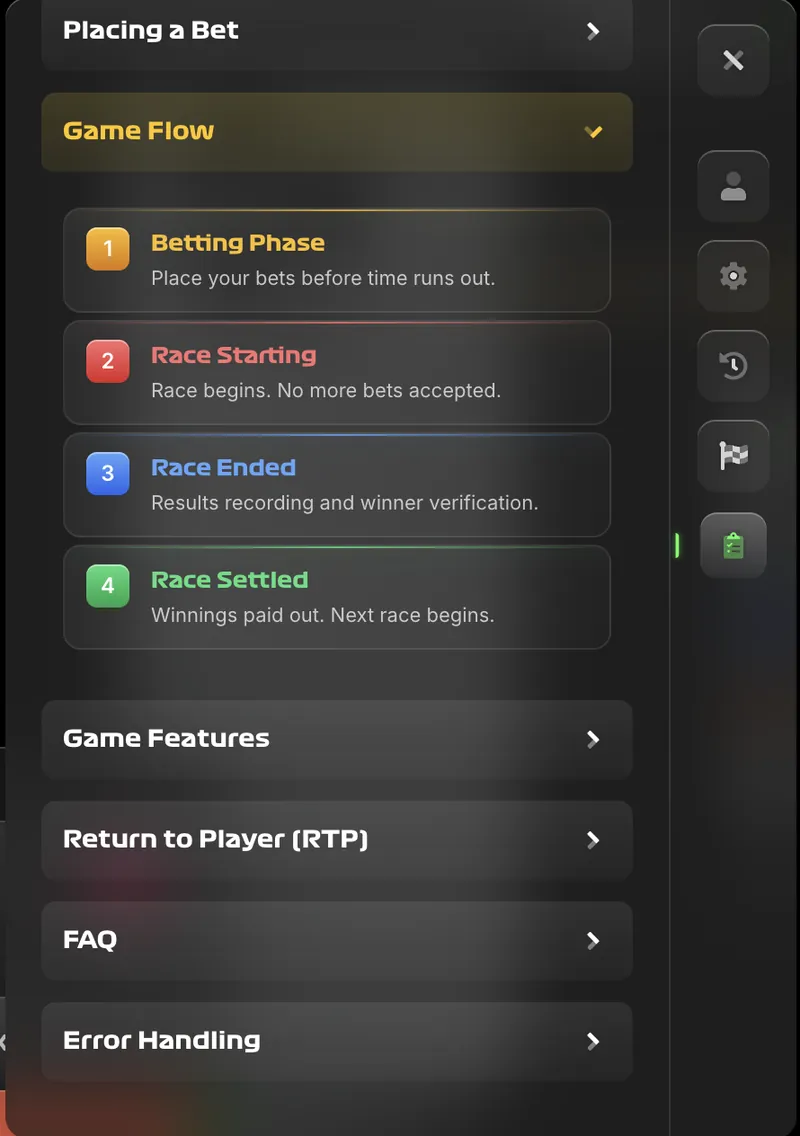
Phase 1 — Betting (~30 seconds). A countdown timer runs at the top of the interface. Players select a ball colour from the five available options, set a stake within the operator's allowed range, and confirm. No bets are accepted after the countdown reaches zero, and the interface locks the stake controls at that moment.
Phase 2 — Race starting. The broadcast feed switches to a wide shot of the staircase. All 106 balls drop simultaneously from a release mechanism onto the top step. From this point the outcome is determined entirely by physics — ball-on-ball collisions, step geometry, and the funnel aperture at the base.
Phase 3 — Race ended. When a ball enters the narrow funnel at the foot of the staircase, the broadcast highlights the winning colour. The race duration varies slightly from 20 to 30 seconds; the game does not cut to a fixed duration — it waits for an actual funnel entry.
Phase 4 — Race settled. Within roughly two seconds of the race-end announcement, winning stakes are credited and losing stakes are removed. The bet-history panel updates with the result. Players can immediately place their next wager if the following round's betting phase has opened.
Step-by-step: placing your first Stair Pong bet
Four actions in the interface get a first-time player from a funded account to a settled round. The screenshot walk-through below assumes an account balance already exists and the player is looking at the live game view.
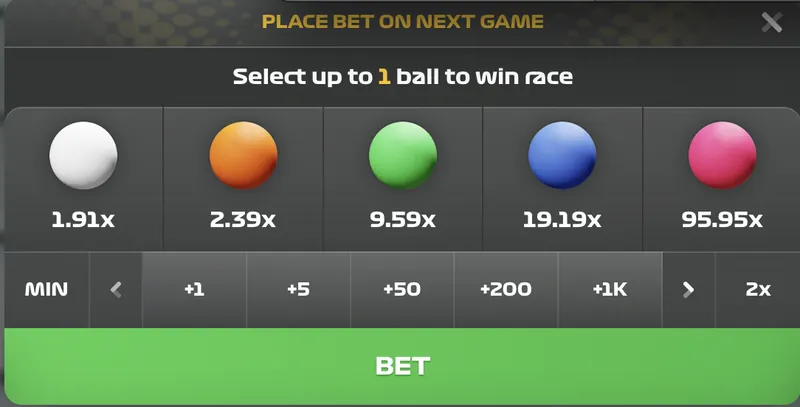
- Choose your stake. Tap the stake input in the betting panel. Numeric preset buttons (+1, +5, +50, +200, +1K) and a 2x doubler help adjust quickly. The MIN button snaps to the operator's configured minimum. Sizing discipline matters more than interface skill — keep individual stakes at or below 1% of bankroll.
- Select a ball colour. Five coloured circles sit in a horizontal row labelled with their respective multipliers. White (1.91x) and Orange (2.39x) dominate in observed hit frequency; Pink (95.95x) hits roughly once per 106 rounds on expectation. Expected value is flat across colours — variance is the only meaningful difference.
- Confirm before the countdown ends. The green BET button confirms the wager. A "Bet placed" banner appears with the potential win figure. The stake is deducted from the balance immediately, and the countdown continues until the race starts.
- Watch the race and collect payouts. No further input is needed. Payouts credit automatically within two seconds of the race-end screen. Wins show in green in the bet-history panel; losses show in red. Balance updates in the top-right of the interface.

Ball colours, multipliers, and what each represents
The five ball colours are not cosmetic — they encode the probability distribution of outcomes. Each colour's multiplier is a published figure, and the implied probability derives from the base RTP of 89.62%.
| Colour | Approx. ball count | Multiplier | Implied hit probability | Session character |
|---|---|---|---|---|
| White | 50 | 1.91x | 46.92% | Frequent small wins; lowest variance |
| Orange | 40 | 2.39x | 37.50% | Near-even odds; slight upside asymmetry |
| Green | 10 | 9.59x | 9.35% | Roughly 1-in-11 wins; moderate drawdowns |
| Blue | 5 | 19.19x | 4.67% | High variance; average 21-round wait per win |
| Pink | 1 | 95.95x | 0.93% | Ceiling hunt; ~1 win per 106 rounds expected |
The probability column comes from arithmetic: probability × multiplier = base RTP (0.8962). Rearranged, probability = 0.8962 ÷ multiplier. That single equation produces every row above and explains why the EV per stake is identical across colours — multiplier and probability are constructed to balance on the 10.38% house edge.
Readers who want to run custom stake scenarios should open the EV calculator. For a visualised 10,000-round simulation comparing colour equity curves side by side, see the Monte Carlo simulator.
Settlement rules: first ball to the funnel wins
Only the first ball to enter the funnel counts. Balls that bypass, stall on a step, or collide and reverse are ignored — the race runs until exactly one ball falls through the funnel aperture or the retry limit is reached.
The funnel sits at the base of the tenth step and has a throat slightly wider than a single ping-pong ball. When a ball enters, an optical sensor records the colour, the broadcast overlay updates, and the settlement engine begins the roughly two-second payout loop. The sensor is physical; there is no server-side randomness involved in determining the winner, which is what makes Stair Pong structurally different from typical crash games.
If two balls enter the funnel simultaneously within the sensor's resolution window (measured in the single-digit milliseconds per the interface description), a tie-break rule activates. The race is considered invalid and re-run; neither colour is credited as the winner. Tie-breaks of this kind occur extremely rarely in observed gameplay because the funnel aperture accepts one ball at a time by construction.
When a race is cancelled (the 3-retry refund rule)
Stair Pong handles edge cases without requiring any user action. If a ball fails to enter the funnel within a single race, the system retries automatically up to three times; after that the round cancels and every placed stake is refunded.
The refund is unconditional. Stakes reappear in the balance within the same two-second window used for standard payouts. The bet-history panel marks the round as "Refunded" rather than "Won" or "Lost" and does not count towards any booster streak. Lightning Rounds and Streak Multipliers that were scheduled to apply to the cancelled round carry forward to the next race instead of being forfeited.
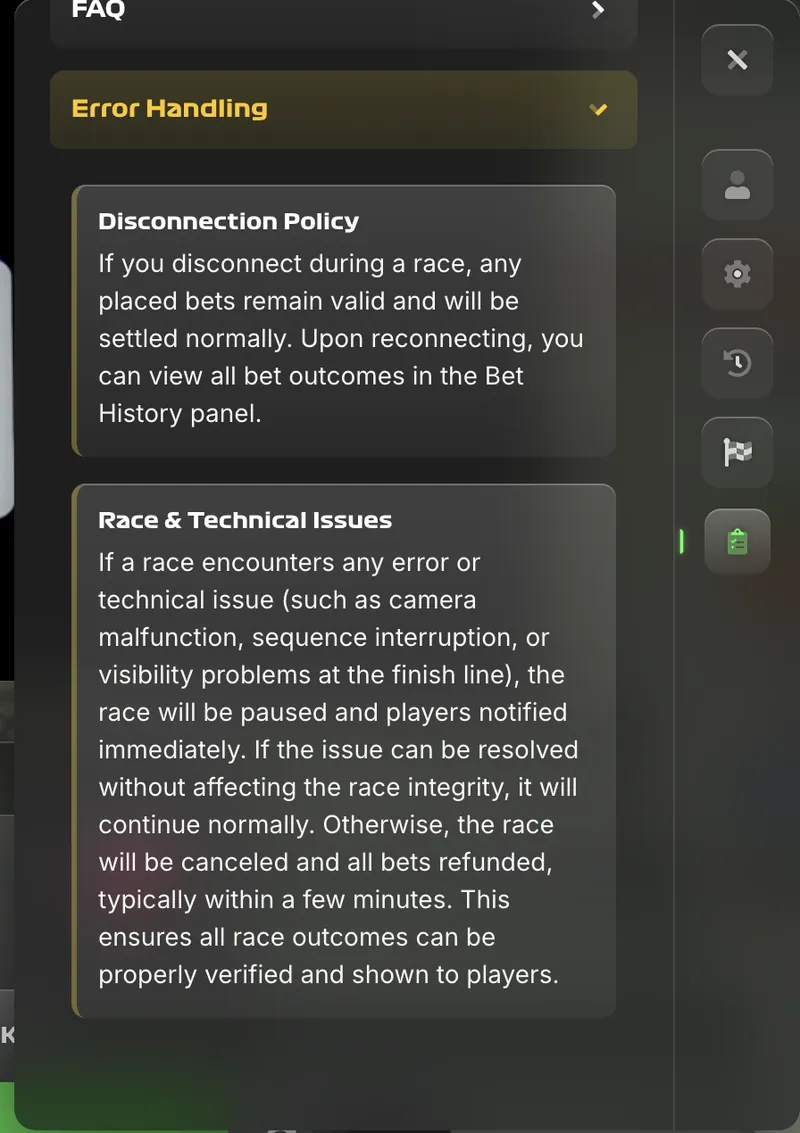
Disconnection during a race does not alter settlement. If a player's network drops between the bet-confirm and race-end steps, the operator settles on the server side and credits or debits the balance on reconnect. The bet-history tab stores every result with a timestamp so that disconnected players can verify settlement on returning to the game.
Interface tour: auto-bet, bet history, balance display
The Stair Pong interface fits the screen without scrolling on most devices. Four control groups occupy specific regions and do not change layout between rounds.
Stake and colour panel (bottom centre)
The betting panel holds the five colour selectors, the stake input, and the BET confirm button. Quick-stake buttons add fixed increments (+1, +5, +50, +200, +1K) or double the current stake (2x). The MIN button snaps the stake to the operator's minimum value. A red border appears around the stake input when the player enters a value above the operator's maximum.
Balance display (top right)
The balance indicator shows the funded account in the player's configured currency. A small arrow next to the balance opens the deposit flow on the operator side. The balance updates in real time as bets settle, so players can track session equity without opening the bet history.

Bet history tab (left side menu)
A log of the last several rounds shows timestamp, chosen colour, stake, winning colour, and result. The panel scrolls upward as new rounds settle. Players can export history via the operator interface for bankroll bookkeeping.
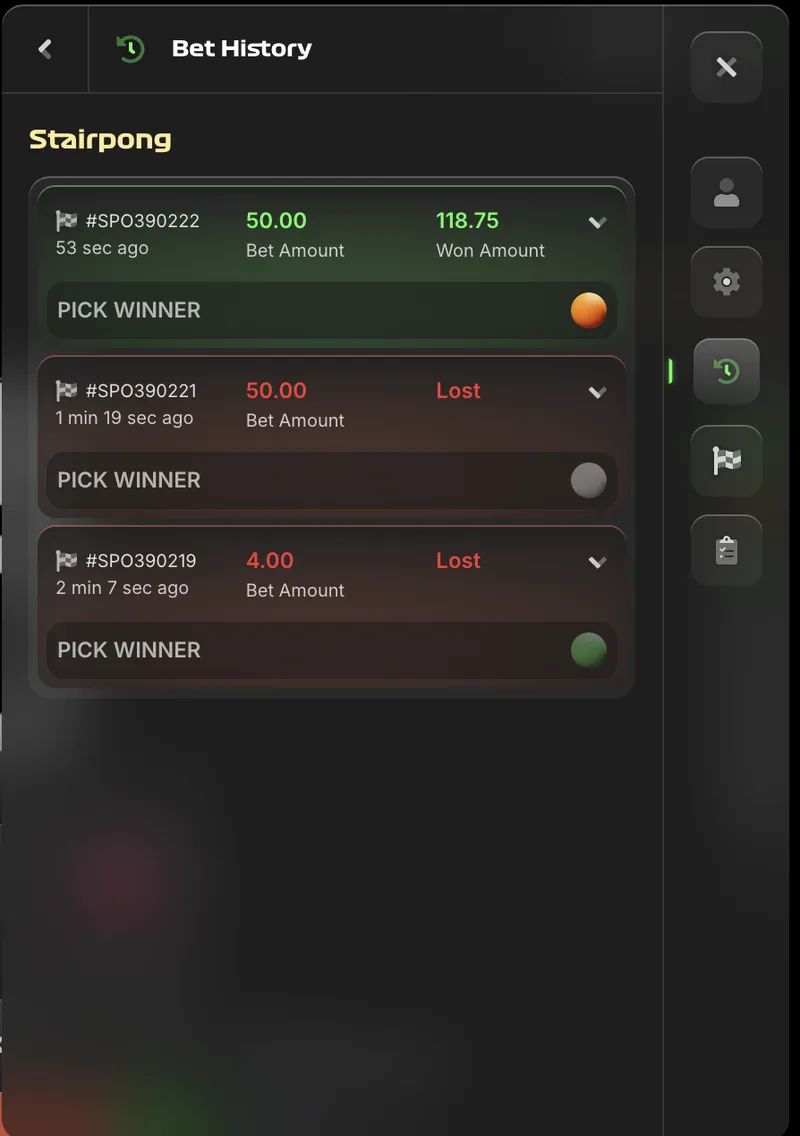
Auto Bet and game settings
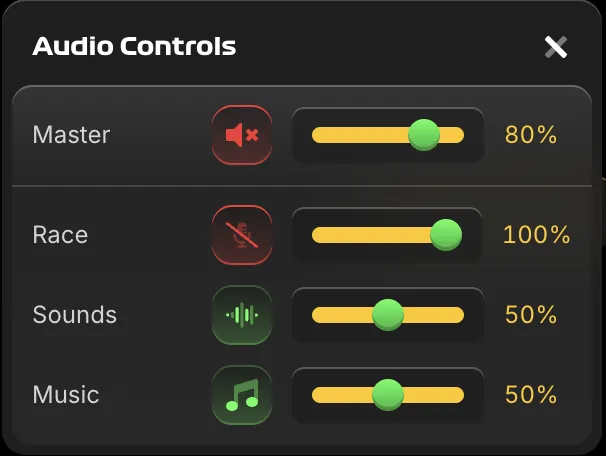
A gear icon opens settings for sound, animation quality, and Auto Bet. Auto Bet accepts a round count, stake, colour, and optional stop-on-win or stop-on-loss thresholds. Once armed, the interface confirms each round automatically until a limit triggers. Lightning Rounds and Streak Multipliers apply during auto sessions without interruption.
Betting modes beyond "Pick Winner"
The in-game RTP screen states that each betting mode carries its own RTP. The default and most frequently offered mode is Pick Winner (1 ball); additional modes extend the mechanic.
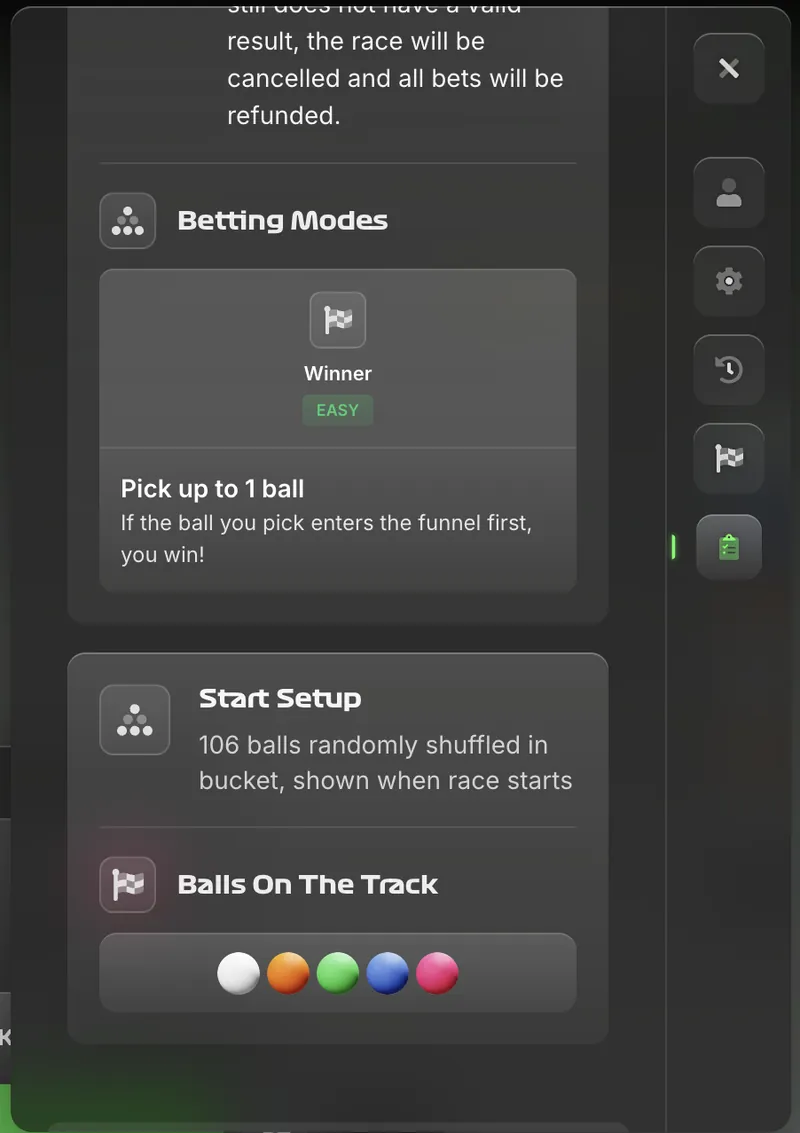
Pick Winner (1 ball). The default easy-tier mode. Select one ball colour; payout equals stake × colour multiplier if the colour wins. Base RTP 89.62%, max payout 95.00x.
Pick Winner (multiple balls). In operators that unlock multi-ball selection, players stake on two or three colours simultaneously. Each colour settles independently against the same winning colour; stakes that match the winning colour pay out, others are lost. Expected value remains the 10.38% negative edge applied to total stake.
Other betting modes may include podium or last-place markets, though these were not observed on the versions of the interface sampled during April 2026 testing. Operators occasionally unlock custom modes; confirm what is available on the specific casino before committing a strategy that depends on multi-mode play.
Practical FAQ from first-time players
How long does a single Stair Pong round take from bet open to payout?
About 65 seconds. The betting phase runs roughly 30 seconds, the race itself takes 25 to 30 seconds depending on ball behaviour, and payouts credit within two seconds of the race-end announcement.
What happens if no ball enters the funnel during a Stair Pong race?
The race automatically repeats up to three times. If no valid result is produced after the third attempt, the round is cancelled and every stake is refunded. The refund requires no manual action.
Can I bet on multiple ball colours in one Stair Pong round?
Yes. Each colour wager settles independently against the single winning colour. Expected value is identical per colour, so stacking colours raises session variance without improving long-run return.
What are the minimum and maximum Stair Pong stakes?
Stakes are set by the operator rather than 155.io. Typical minimums start at £0.10 (or equivalent); maximums commonly cap at £100 per bet, though high-limit operators extend higher. Check the interface's stake panel for the active range.
How does the Auto Bet feature work in Stair Pong?
Auto Bet repeats the same stake and colour across a chosen number of consecutive rounds. Players can set a loss-stop threshold, a win-stop threshold, and a maximum round count. The feature pauses itself when any limit is reached; Lightning Rounds and Streak Multipliers apply as normal during auto sessions.
Understood the mechanics. Move to the strategies analysis for the EV calculator, Monte Carlo simulator, Kelly sizer, and variance chart — or try the free demo before committing real stakes.
Keep digging into the data
Per-colour expected value, variance chart, Monte Carlo simulator.
OpenDemo portal, four drills, pre-flight checklist before real money.
OpenWelcome offers, wagering, 8 payment methods. Live booster recalculator.
Open89.62% base RTP, 95.95x ceiling, full pillar analysis.
OpenJune 23, 2026 play guide update
Stair Pong play guide update for June 23 focuses on the step between reading the rules and opening a live round. The how-to page should make stair progression, bounce timing, cash-out choices, route hygiene, and mobile behavior understandable before the player sees a deposit button. A good guide does not only say when to tap, cross, climb, or cash out; it also explains what can be checked in demo mode and what belongs to the casino account screen.
Before playing for money, use free rounds to confirm step rhythm, target level, stake range, mobile layout, and offer terms before deposit. Then set a small session limit and keep the stake flat even after a failed attempt. Bonus offers should be read outside the game flow for wagering, max bet, eligible games, expiry, KYC, withdrawal review, currency support, and country access. Mobile players should use verified browser play or an official operator app, not copied APK files. Stair Pong is easier to treat as entertainment when the guide keeps controls, risk, and stopping rules together.